Smule: Sing, Duet & Karaoke
- 4.0
- Rating
- 100.00M
- Installs
- Free
- Price

 Analysis by App-foxy
I approached Smule as a music app rather than simply another karaoke catalog. Its central appeal is the chance to sing with other people, record the result, and shape your voice with smart tools instead of treating the phone as a passive music player. That difference matters: the app is built around participation, not just listening.
After spending time with it, I found the experience most convincing when I used it as a low-pressure rehearsal room. I could choose a song, take one vocal part, and turn a spare moment into a duet or a recorded performance. It is not a replacement for a full recording studio, and it will not make every singer sound polished, but it gives casual singers a surprisingly easy way to practise, share, and improve.
Why the shared singing feature changes the experience
The important capability here is collaborative singing. Instead of opening a track and performing alone over a backing arrangement, I can join another singer’s part or invite someone else into mine. That creates a more social workflow than ordinary karaoke apps, where the main goal is usually to follow lyrics and finish a song.
You May Also Like

 Blood Strike: 2.5 Anniversary
Blood Strike’s Loadouts Turn Every Drop Into a Tactical Gamble
A close look at Blood Strike’s custom loadouts: how fast access to signature weapons reshapes its battle royale rhythm, rewards preparation, and narrows the gap between fights.

 Pandora - Music & Podcasts
Pandora’s Music Is Easy to Start, but Harder to Recover
Pandora’s strength is its low-effort path from a seed to a station. Its weak spot is how much confidence it asks you to place in connection, setup, and quiet recovery.

 8 Ball Pool
 Is Built on Rivalries, Rematches, and Routine
A close look at the rivalries, rematches, shared routines, and unanswered safety questions that turn a quick pool match into a persistent mobile community.

 Samsung Music
’s Quiet Strength Is Playing What You Already Own
Its reach comes less from spectacle than from dependable access to a personal library. That simplicity is both the app’s strongest retention engine and its ceiling.

 AccuWeather: Weather Radar
AccuWeather Review: A Quick, Clear Forecast for Everyday Decisions
For everyday plans, the best forecast is the one you can understand quickly. AccuWeather makes rain timing, radar, and local conditions easy to act on, with a few trade-offs.

 Hill Climb Racing
Why Hill Climb Racing Still Turns Crashes Into One More Run
A tiny car, a bumpy hill and one more upgrade: Hill Climb Racing keeps resurfacing because its simple chaos makes every near-miss feel personal.
More From Our News Desk
View All News


In practice, the duet format also changes how I listen. I pay closer attention to entrances, pauses, harmony, and the handoff between voices. Even when I am singing only one section, I have to think about timing and balance. That makes the app useful for people who want a gentle introduction to recording themselves, because the other vocal line provides structure and removes some of the awkwardness of singing into silence.
The smart voice tools are helpful in moderation. They can make a rough take feel more presentable and let me experiment with a sound that is different from my natural voice. I would not treat them as a substitute for learning pitch or breath control, though. The most satisfying results still come from choosing a comfortable key, listening carefully, and recording several takes rather than relying on the strongest effect.
The real strength is not that the app hides every mistake; it gives you a reason to keep singing after making one. A solo recording can feel exposing, while a duet feels more like joining an activity. That small psychological difference is one of the best reasons to try it.
Getting started without making the first recording painful
The app is free to install, which makes trying the basic experience easy. I would begin with a song I already know well rather than choosing something ambitious. Familiar lyrics let me concentrate on timing and microphone distance instead of trying to remember every line while recording.
Headphones are worth using when possible. They help keep the backing track and the other singer out of the microphone, which makes the vocal result cleaner. I also found it useful to record in a room with soft furnishings rather than beside a bare wall. This is not a studio trick that transforms the app, but it reduces the hollow sound that can make an otherwise decent take feel amateurish.
Before recording, I would listen to the opening of the selected part and identify where the first line begins. That simple preparation prevents the common problem of entering early because the lyrics appear before the vocal phrase feels natural. If the song has a duet structure, I would also check whether I am taking the lead or responding to the existing singer. The difference affects how confidently I should approach the first line.
The recording process is approachable, but the result depends heavily on the phone setup. A quiet room, a stable phone position, and consistent distance from the microphone matter more than adding several effects. If I hold the phone in my hand, handling noise and changing volume can become more noticeable. Placing it on a nearby surface gives me a steadier performance and leaves both hands free for a more natural posture.
What a typical session feels like
A normal session can be as short as one song, but it often becomes iterative. I might record once to understand the arrangement, listen back for timing, then try again with less force in the louder phrases. That replay step is where the app becomes more useful than a simple sing-along video: I can hear whether my enthusiasm is helping the performance or pushing my voice out of balance.
The social side adds another layer. Joining an existing performance means I am responding to a real person’s phrasing rather than an anonymous instrumental. Sometimes that makes the song feel alive; sometimes the other singer’s style does not match mine. I learned to choose collaborations based not only on the song but also on the mood and pace of the existing vocal. A technically suitable track can still feel uncomfortable if the two performances pull in different directions.
For a better result, I would keep the first take deliberately simple. Use a light vocal effect, listen to the whole recording, and only then decide whether more processing improves it. Strong effects can be entertaining, but they may also make pitch problems harder to judge or create a sound that does not fit the song. The app encourages experimentation, and that is enjoyable, but restraint usually makes a shared performance easier to listen to.
One useful habit is to treat each recording as a specific experiment. On one take I might focus on staying close to the beat; on another I might work on softer endings. This turns casual singing into manageable practice. It also prevents me from judging the entire performance as simply good or bad. I can identify one thing to improve and leave the rest alone.
A realistic everyday use: ten minutes after work
Imagine arriving home with ten minutes before dinner. You are not prepared to study vocal technique, set up equipment, or attend a rehearsal, but you still want a break from the day. I would open the app, select a familiar song, and join a duet that matches my range. The first take would be a warm-up, the second a more careful attempt, and the final minute would be spent listening back with headphones.
That scenario shows where the app fits best. It turns a small amount of free time into a creative activity with a clear beginning and end. I do not need to organise another person in advance, yet the presence of a duet partner makes the session feel less solitary. If the recording is worth keeping, I can share it; if it is not, the practice still had value.
It can also work for friends who live apart. A pair of people can use the same song as a shared project without needing to be in the same room. The result will depend on each person’s recording environment and vocal style, but the format gives them something more engaging than sending a voice message back and forth. For families or friends who enjoy singing but do not want a formal performance, that is a genuine advantage.
I would be more cautious about using it for a serious audition or a polished release. Phone microphones, background noise, inconsistent rooms, and voice effects can all affect the final impression. The app is excellent for trying ideas and building confidence, but professional work needs more control over recording, editing, and delivery.
Where it differs from ordinary karaoke and music apps
A standard karaoke app usually prioritises the instrumental, lyrics, and a straightforward solo performance. That can be better if I want complete control over the tempo of my session or simply want to sing without interacting with anyone else. Smule’s collaborative focus makes the experience more social, but it also means I am adapting to another performance rather than starting from a completely neutral backing track.
A music streaming app is better when my goal is listening. It offers a more relaxed way to follow artists and albums, while this app asks me to participate. I would not open it while cooking if I wanted background music; I would open it when I wanted to sing, record, or respond to another singer.
A dedicated audio workstation is the stronger choice for detailed production. Those tools offer deeper control over tracks and sound design, but they also require more time and technical patience. This app sits between passive listening and serious production. Its advantage is speed: I can move from choosing a song to making a social recording without learning a complicated editing workflow.
That middle position is important. Someone who wants a quick creative outlet may find a full music workstation excessive. Someone who wants exact control over every vocal layer may find this app too limited. I see it as a performance playground with enough recording structure to encourage improvement, not as a complete studio.
The costs behind the free starting point
The app is free, but optional purchases range from a few cents to nearly one hundred dollars per item. That broad range means I would approach upgrades carefully. A free download does not automatically mean every desirable part of the experience will remain free, so I would spend time learning what I actually use before buying anything.
For me, the sensible test is whether the basic singing workflow already feels enjoyable. If I rarely finish a recording, additional tools will not solve the underlying problem. If I regularly return to duet sessions and want more ways to shape them, an optional purchase may feel more reasonable. I would still check the purchase screen closely and avoid treating every effect or extra as necessary.
The large community is both an advantage and a source of noise. With over one hundred million installs, the app has clearly reached a broad audience, and that makes finding activity easier than in a small, empty service. At the same time, a busy social environment can feel overwhelming if I prefer a private, quiet workflow. I would use the app with clear boundaries: record for a purpose, share selectively, and avoid feeling pressured to turn every take into a public performance.
The Teen content rating is another reason I would encourage younger users to involve a parent or guardian in deciding how to use the social features. Singing can be harmless fun, but any community-based app deserves thoughtful attention to sharing choices and interactions. I would keep personal details out of public recordings and choose carefully who can see or respond to my work.
Small techniques that noticeably improve recordings
My first practical tip is to control volume with distance rather than shouting. Moving slightly farther from the microphone during a powerful phrase can make the take sound more even, while leaning in for every quiet line can create distracting changes. This is a simple physical adjustment, but it often helps more than selecting a dramatic voice effect.
My second tip is to record a short test before committing to the full song. I listen for three things: whether the backing track is too loud, whether my consonants are clear, and whether the other vocalist is easy to follow. If any of those problems appear immediately, I fix the setup first. Repeating a full song with the same issue wastes time.
My third tip is to choose collaborations by vocal space, not just popularity. If the existing singer fills every phrase with a strong, bright delivery, a quiet singer may struggle to sound connected. A performance with pauses, clear entrances, and a compatible range can produce a better duet even if the song is less obvious. This is one of the app’s less visible lessons: collaboration is partly about leaving room for another voice.
I would also save the most heavily processed effects for experimentation rather than every recording. Effects can make a first session feel exciting, but a lighter setting usually preserves the details that help me evaluate pitch, rhythm, and expression. When I want to improve, I need to hear my actual choices. When I want to play, stronger processing can be fun. Knowing which goal I have prevents disappointment.
Who will enjoy it, and who should choose something else
This is a strong fit for singers who want encouragement, casual practice, and a social reason to record. It is especially appealing if you enjoy duets, like discovering how other people interpret familiar songs, or want a low-cost way to build confidence before singing for friends. The collaborative structure makes it easier to return regularly because each session can feel different even when the basic recording steps stay familiar.
It also suits people who are curious about vocal effects but do not want to learn production software. I can explore different presentations quickly and decide which sound matches my mood. That instant feedback is valuable for beginners, provided they remember that an effect changes presentation rather than replacing technique.
I would suggest a different option to someone who wants uninterrupted listening, detailed multitrack editing, or a private practice tool with no community element. A conventional music player is calmer for background listening. A metronome or vocal-training app may be more focused for technical exercises. A desktop recording program is better for anyone preparing a carefully edited release.
People who dislike hearing their recorded voice may also need patience. The first playback can be uncomfortable, and no feature removes that reaction completely. I found it easier to treat the recording as information rather than a verdict. Listen once for timing, once for clarity, and once for the overall feeling. That approach makes the app more useful and less stressful.
Device support, maturity, and my final recommendation
The app runs on Android devices using version six or later, so it remains accessible to many phones that are not new. Performance and recording quality will still vary with the device, microphone, headphones, and room. I would keep the app updated; the current version is 12.7.9, and using the current release is the simplest way to avoid judging the experience from an outdated build.
Smule comes from Smule and has been available since December 27, 2012. Its average rating is 4.0 from around 4.1 million ratings, with roughly 128 thousand written reviews. Those figures suggest a mature app with a wide audience, but they should not replace personal testing. The right question is whether its social singing format matches what you want to do with your phone.
My conclusion is positive, with a clear boundary. I recommend it to anyone who wants karaoke to feel more collaborative and who is willing to practise through imperfect takes. The duet workflow, quick recording, and voice tools give casual singers a practical creative outlet. I would not recommend it as the only tool for professional recording, private technical training, or simple music playback.
If you try it, start with one familiar song, headphones, a quiet room, and a restrained effect. Listen back before sharing, then decide whether the social side adds energy or pressure for you. In my experience, the app is at its best when I use it as a friendly rehearsal space: somewhere to sing with another person, learn from each take, and enjoy making music without needing a studio.
FAQs for Smule: Sing, Duet & Karaoke
01What is Smule and how does it work?
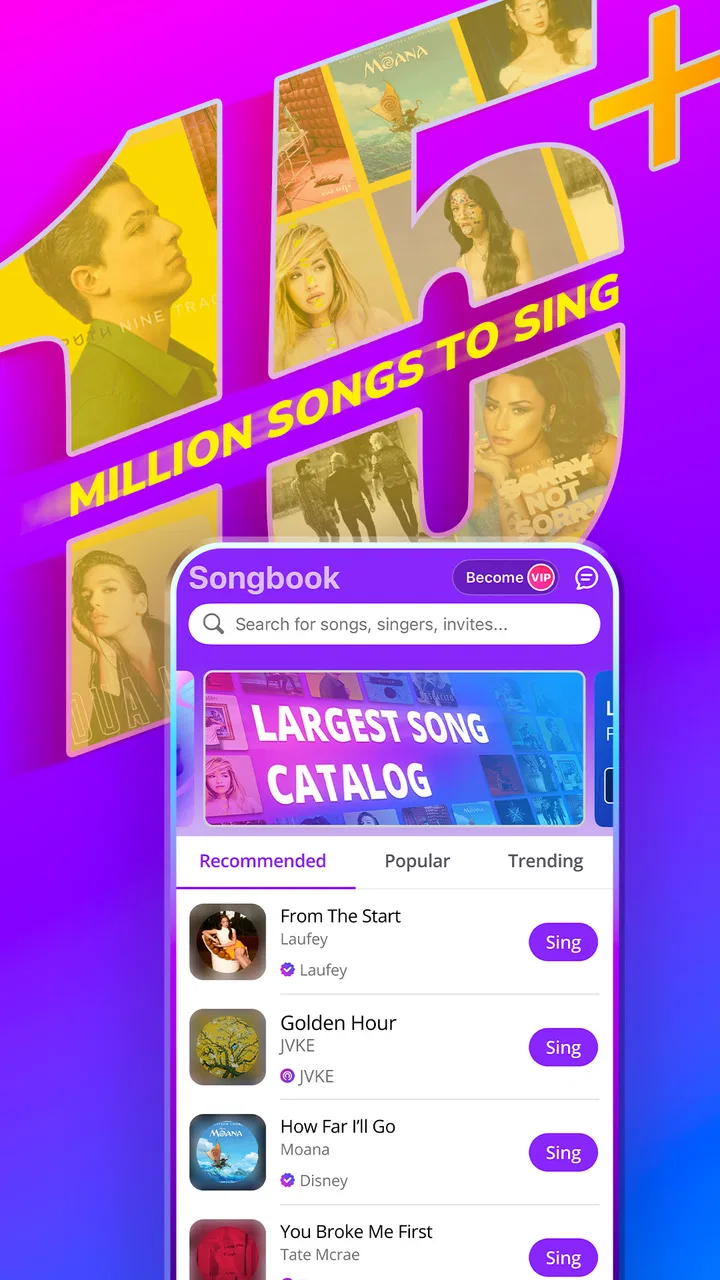
Smule is a karaoke app that allows users to sing solo, duet, or group performances with friends or other users worldwide. It features a vast library of popular songs across various genres. Users can record their performances, apply audio effects, and share them within the Smule community or on social media.
02Is Smule free to use?
Smule offers a free version with limited access to songs and features. However, to unlock the full library and advanced features like high-quality audio effects, users can subscribe to a VIP membership. The subscription offers a monthly or yearly plan, providing greater access and an ad-free experience.
03Can I use Smule offline?
Unfortunately, Smule requires an internet connection to access its song library and community features. While you can record performances offline, you need to be online to save, upload, or share your recordings. Streaming songs and connecting with other users also necessitates an active internet connection.
04How can I improve the audio quality of my recordings on Smule?
Smule offers several audio effects to enhance your recordings, including pitch correction and reverb. For optimal sound quality, use headphones with a built-in microphone. Subscribing to the VIP membership unlocks additional effects and settings, allowing for more professional-sounding performances.
05Is Smule safe for children to use?
Smule is designed for users aged 13 and above. The app includes social features that allow interaction with other users, which may not be suitable for younger children. Parents are encouraged to monitor their children's activity and ensure privacy settings are appropriately configured to maintain a safe environment.
Pros
- Extensive song library available.
- Seamless duet capabilities.
- High-quality audio output.
- Interactive community features.
- User-friendly interface.
Cons
- In-app ads can be intrusive.
- Premium features require subscription.
- Occasional lag in audio sync.
- Limited offline functionality.
- Requires stable internet connection.

Smule: Sing, Duet & Karaoke
Gallery